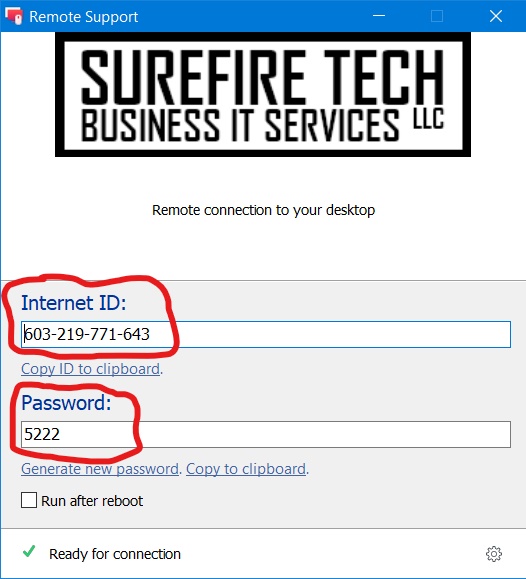
In order to use Surefire Tech LLC Remote Support, you must have a working Internet connection. You will also need to download a small piece of software that allows our technicians to connect to your computer in order to complete the work. To get started, click on the "Download Remote Support" button below. Once you've downloaded and run the program you should see a window like the one pictured below. We will need your Internet-ID and Password. If you've already have a Remote Support appointment set up, you can call, text or email us this information. If you haven't set up an appointment, please contact us to do so.
The circled objects show the information we need in order to connect. Please have this ready when you call us.